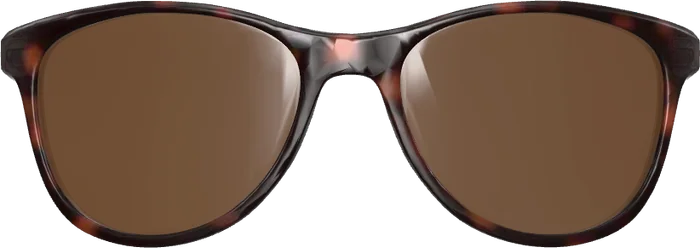
 Front
No 3D models needed
You work with what you already have: the product photos from your shop or from the maker.


Add-on · 3D from photos
The biggest hurdle of a virtual try-on is the 3D models: hardly any optician has them. Everyone has product photos. This add-on builds a real 3D frame from one photo from the front and one from the side, and it turns with the head.
How it goes
The frame straight from the front and exactly from the side, cut out on a transparent background.
The overall width of the frame in millimetres. That makes the size on the face right.
The frame sits on the model head at once. Enter the article number, save: it is in the try-on.
What you gain
You work with what you already have: the product photos from your shop or from the maker.
A 3D frame from a service provider costs time and money per piece. Here it is made in seconds, as often as you like.
Lens width, bridge and temple length are measured from the photos and shown. You compare them with the size printed in the temple.
Everything is computed in your browser. Nothing is uploaded, and it works on your own server as well.
Requirements
Add-on
In addition to the try-on. Paid once, then as many frames as you like with no price per frame.
400 €one-time
Ask about the add-onBefore you buy
Ask for a personal demo. You get an access of your own to the manager and work there exactly as you will later in your shop: no risk and no obligation.
Questions
From the front the frame matches the photo; from the side it is believable. Thicknesses, the curve and the temple tips are typical values, not a copy. That is enough for a try-on in a shop; a model from the maker is more exact.
The frame has to be cut out. Many makers supply such pictures; otherwise any common image program removes the background. Or you hand the digitising to us as a service.
As many as you like. The try-on has no upper limit for frames, and the add-on charges nothing per piece.
Yes. The computing happens in your browser and needs no service from us. The add-on is then part of your package.
Open the live demo on your phone and try on a pair. It takes less than a minute.